Yes, you can build a website with Mistral Vibe, including on the free plan. Vibe was called Le Chat until May 2026 and shows the page in a canvas with a preview. It can share the canvas as a link, but without an address of your own. Below: how to get the code out and publish the page for free.
What Vibe can do on its own
Since the redesign, Vibe has two areas at the top left. Pages are built in Work, which has also held the old chat since September 2026. Code is meant for software projects.
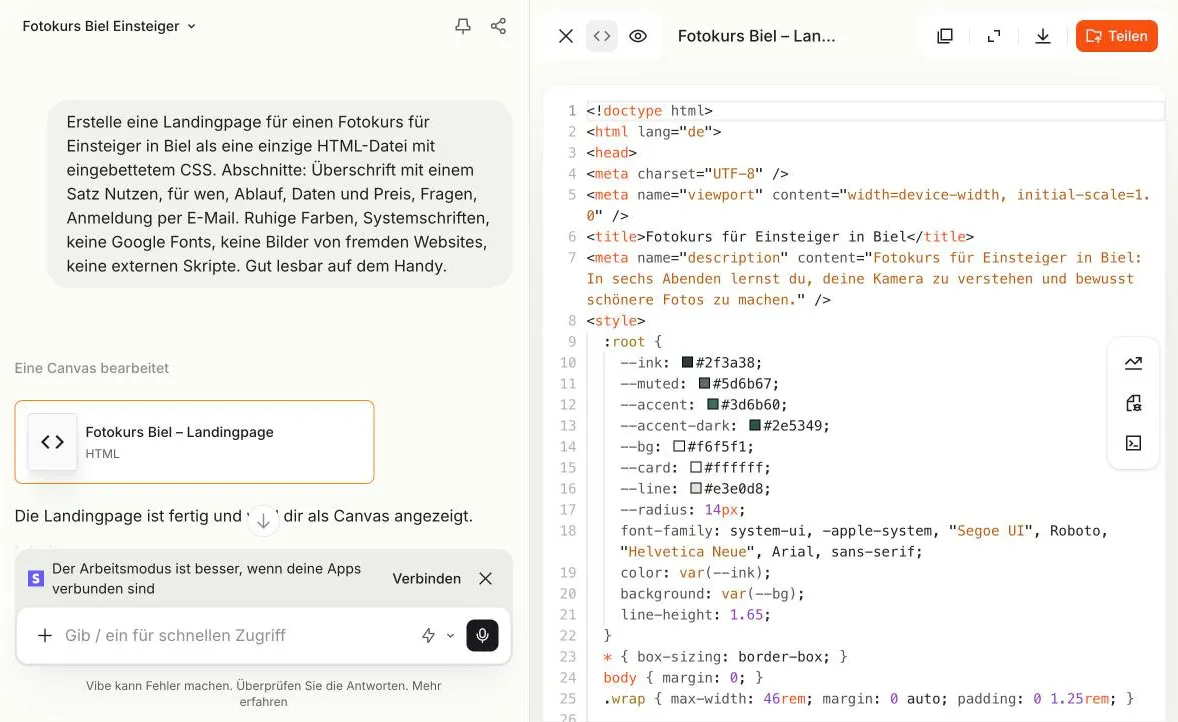
For a page, Vibe creates a canvas. In the chat it shows up as a card where you switch between code and preview. Clicking the title opens it full size next to the chat, with Share, Export as and Download. All of this worked on our free account.
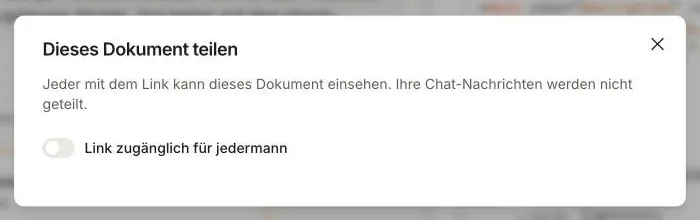
Share has a single switch for a public link. When it is on, anyone with the link sees the canvas. Your chat messages stay private.
Step by step
- At chat.mistral.ai, stay in Work and paste one of the prompts below.
- Vibe reports that it edited a canvas and shows a card with the page. Click the card's title to open the canvas full size.
- Click the copy icon at the top of the canvas, the first of the four icons next to Share. Its tooltip reads "copy content to clipboard".
- Paste it at app.getsharepa.ch/neu and check the preview.
- Pick an address such as
photo-course.sharepa.pageand go live.
If you only need to show the page to one person for a day, Share in Vibe will do.
Prompts to copy
Course page with email sign-up
English and French on one page
Merge into one file
Fill in the real details
Tips for Vibe
Copy only in the large canvas
The card in the chat offers code, preview and download, but no copy button. That one appears once the canvas is open full size.
Vibe lists what is missing
In our test, Vibe summed up the page below the canvas and said that the dates, price and email were placeholders. Read those lines before you publish.
Turning sharing off again
The canvas link works as long as the switch is on. To stop sharing, turn it off in the same dialog. After you change the canvas, Mistral says you need to share it again.
Hints on the first visit
Since the redesign, Vibe explains Work and Code on the first visit and suggests connecting apps. A page needs none of that.
Vibe or sharepa
| Feature | Sharing in Vibe | sharepa |
|---|---|---|
| Plan | Free | Free, 3 pages |
| Public without an account | Yes, with the link | Yes |
| Address | Link on chat.mistral.ai | name.sharepa.page |
| Custom domain | No | Yes, one on the free plan |
| Password | No | Yes, also free |
| Analytics | No | Yes, without cookies |
| Forms | No | Yes, entries in the app |
| Take offline | Yes, switch off | Yes |
Mistral says it stores Vibe data in the EU by default.
Questions
Is Le Chat now called Vibe?
Yes. Mistral renamed Le Chat to Vibe on 28 May 2026. The address chat.mistral.ai stayed the same.
Can Mistral publish a website?
Only as a shared canvas, linked on chat.mistral.ai. There is no address of your own, no password and no analytics.
Do I need Mistral Pro?
No. Canvas, copy and share all worked on our free account.
Can Vibe build pages in French?
Yes, Vibe writes good French. The bilingual prompt above puts both languages in one file.
Sources
- Mistral: Vibe announcement, 28 May 2026
- Mistral help: Le Chat is now Vibe
- Mistral docs: Files and Canvas
- Mistral help: Where do you store my data?
- More basics for every chat: Build a website with AI
Tested with a free account on 11 November 2026, in Work, with the interface in German.