Yes, you can build a website with Microsoft Copilot, also with free Copilot. It shows the page as a preview right in the chat, but it cannot publish it. Below: where the code sits behind the preview, which prompts work, and how to put the page online for free.
What Copilot can do on its own
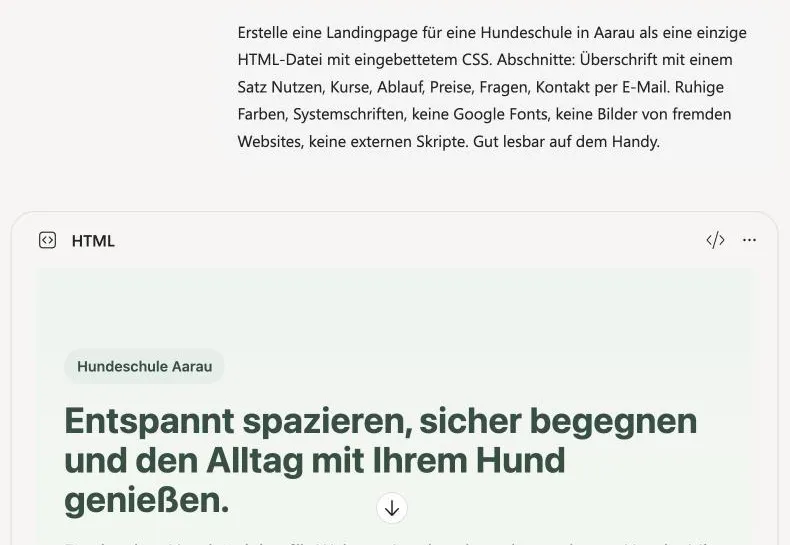
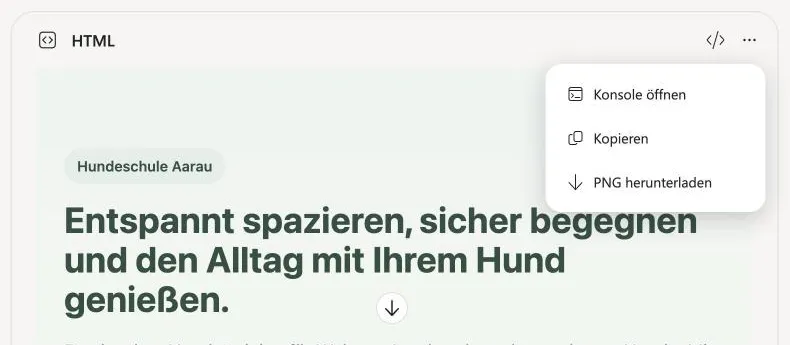
Ask Copilot for an HTML page and it writes it into an "HTML" block, then switches to the rendered page. </> takes you to the code. The … menu has Open console, Copy and Download PNG; the PNG is a picture of the page, not a website. All of this worked with a free personal account.
With a personal account, Copilot cannot publish the page. Share at the top right only shares the chat, and Microsoft says whoever opens it has to sign in. Copilot Pages requires a Microsoft 365 subscription, and Copilot Code only shares within an organisation.
Step by step
- Sign in at copilot.microsoft.com with your Microsoft account and paste one of the prompts below.
- Copilot writes the page and then shows it as a preview in the "HTML" block.
- Click … at the top right of the block, then Copy. Or open the code with
</>and use Copy code there.
- Paste it at app.getsharepa.ch/neu; the preview there should match the one in Copilot.
- Pick an address such as
dog-school.sharepa.pageand go live.
Prompts to copy
Offer with courses and prices
British or American English
Opening hours and directions
Fix an error from the console
Tips for Copilot
The code is behind the preview
Once Copilot has finished writing, the block shows only the page. To see the code, click </>. The code view has Copy code and Preview at the top.
Language details
In our German test, Copilot used German spelling and a formal tone, which does not suit a Swiss page. In English the same thing can happen with spelling and currency. The prompt "British or American English" sets it once for the whole page.
Ads in free Copilot
On the first visit, Copilot asks whether ads may be personalised. "General ads" is enough; it has no effect on your page.
Copilot or sharepa
| Feature | Copilot | sharepa |
|---|---|---|
| Plan | Free with a Microsoft account | Free, 3 pages |
| Show the page publicly | No, only the chat, behind a sign-in | Yes |
| Address | None of its own | name.sharepa.page |
| Custom domain | No | Yes, one on the free plan |
| Password | No | Yes, also free |
| Analytics | No | Yes, without cookies |
| Forms | No | Yes, entries in the app |
| Without ads | No, free Copilot shows ads | Yes |
Questions
Can Copilot build a website?
Yes. Copilot writes the page as HTML and shows a preview right away. Our test page for a dog school ran at sharepa unchanged.
Can Copilot publish the website?
No. A personal account can only share the chat, and whoever opens it needs a Microsoft account. For an address anyone can open, take the code to a host such as sharepa.
Do I need Microsoft 365 or Copilot Pro?
No. Preview and copy worked with free Copilot and a personal Microsoft account. Microsoft no longer sells Copilot Pro; Microsoft 365 Premium has taken its place.
Sources
- Microsoft Support: Share conversations in Copilot
- Microsoft Support: How Copilot Pages works
- Microsoft Learn: Copilot Code
- More basics for every chat: Build a website with AI
Tested with a free personal Microsoft account on 11 November 2026, Auto mode, interface in German.